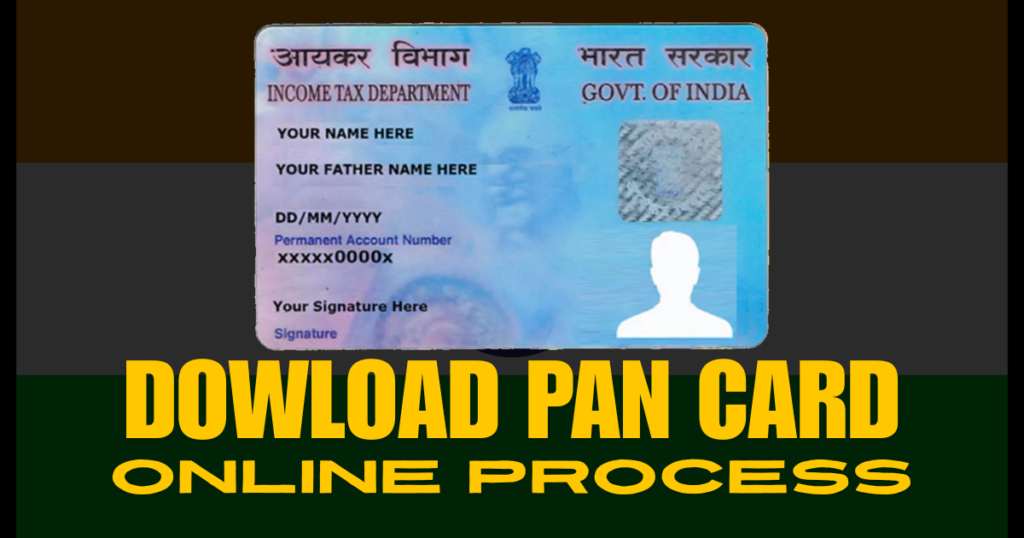
घरबसल्या पॅन कार्ड डाउनलोड करा | मोफत ई-पॅन PDF २ मिनिटांत
WG
wealthgainer.co.in
घरबसल्या पॅन कार्ड डाउनलोड करा (फ्री ई-पॅन PDF फक्त २ मिनिटांत)
एप्रिल ९, २०२६ ८ मिनिटे वाचन टीम वेल्थगेनर
📄 तुमचा पॅन क्रमांक आधीच आहे? मग फिजिकल कार्डची वाट न पाहता आत्ताच डाउनलोड करा.
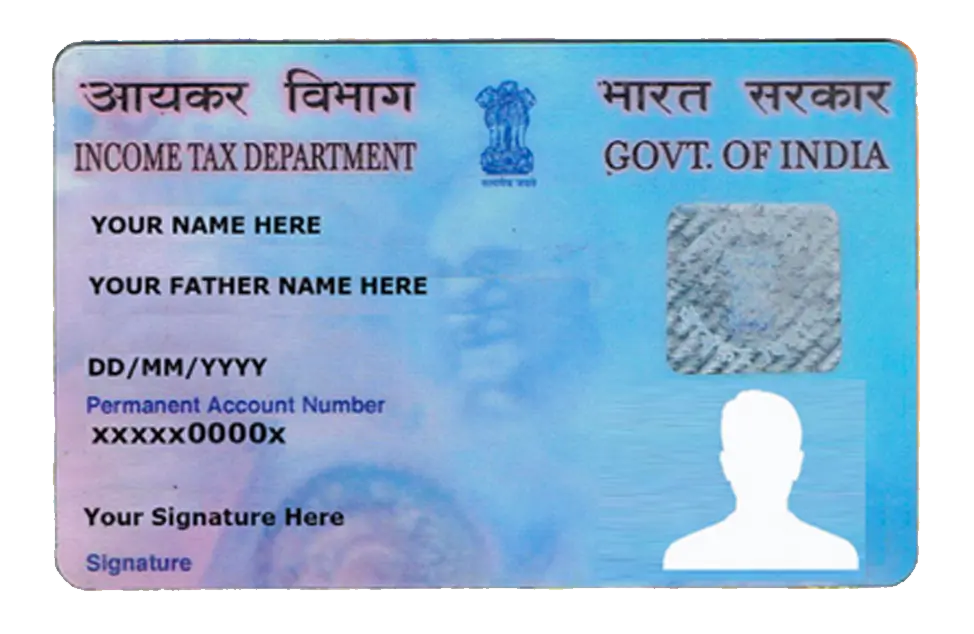
पॅन कार्ड म्हणजे काय? पॅन (Permanent Account Number) हा आयकर विभागाने दिलेला १० अंकी ओळख क्रमांक आहे. बँक खाते उघडणे, म्युच्युअल फंडात गुंतवणूक करणे, शेअर बाजारात व्यवहार करणे किंवा ५०,००० रुपयांपेक्षा जास्त रक्कम जमा करणे या सर्वांसाठी पॅन अनिवार्य आहे.
अनेकांना वाटतं की पॅन कार्ड हरवलं किंवा अजून पोस्टाने आलं नाही, तर नवीन अर्ज करावा लागतो. पण तसं नाही! जर तुमचा पॅन क्रमांक आधीच जारी झाला असेल, तर तुम्ही घरबसल्या २ मिनिटांत ई-पॅन PDF डाउनलोड करू शकता. ती PDF सुद्धा पूर्णपणे वैध असते आणि तुम्ही ती कुठेही वापरू शकता.
सावधान: पॅन डाउनलोड करण्यासाठी इंटरनेटवर अनेक बनावट वेबसाईट्स आहेत ज्या पैसे मागतात. खरी ई-पॅन सेवा पूर्णपणे मोफत आहे. फक्त खाली दिलेल्या अधिकृत सरकारी वेबसाईट्स वापरा.
✅ ई-पॅन डाउनलोड करण्यापूर्वी आवश्यक गोष्टी
तुमचा पॅन क्रमांबर (PAN Number) माहीत असावा. जर विसरला असाल तर "Know your PAN" सुविधा वापरू शकता.
पॅनशी लिंक केलेला मोबाईल नंबर (OTP येण्यासाठी).
आधार क्रमांक (जर आधार लिंक असेल तर पर्यायी).
इंटरनेट कनेक्शन आणि एक स्मार्टफोन/लॅपटॉप.
📌 अधिकृत वेबसाईट कोणती?
भारत सरकारच्या दोन अधिकृत संस्था पॅन सेवा पुरवतात:
NSDL: https://www.onlineservices.nsdl.com/pan/
UTIITSL: https://www.utiitsl.com/
या लेखात आपण NSDL च्या मार्गदर्शक पद्धतीने पॅन डाउनलोड करणार आहोत. कारण ती सर्वात सोपी आहे.
डावीकडील मेनूमध्ये किंवा मुख्य पानावर "Download e-PAN" असे लिहिलेले दिसेल. त्यावर क्लिक करा.
🔹 स्टेप ३: पॅन नंबर आणि आधार टाका
नवीन पेज उघडल्यावर तुम्हाला तीन पर्याय दिसतील: "PAN", "Aadhaar", किंवा "Acknowledgement Number". तुम्ही "PAN" निवडा आणि तुमचा १० अंकी पॅन नंबर टाका. नंतर कॅप्चा भरून "Submit" करा.
🔹 स्टेप ४: OTP व्हेरिफिकेशन
तुमच्या पॅनशी लिंक असलेल्या मोबाईल नंबरवर ६ अंकी OTP येईल. तो टाकून "Validate" करा. (लक्षात ठेवा, हा OTP फक्त १० मिनिटांसाठी वैध असतो.)
🔹 स्टेप ५: ई-पॅन डाउनलोड करा
OTP योग्य असेल तर तुम्हाला "Download PDF" बटण दिसेल. त्यावर क्लिक करा. एक PDF फाईल डाउनलोड होईल.
पीडीएफचा पासवर्ड: ही PDF पासवर्ड प्रोटेक्टेड असते. पासवर्ड म्हणजे तुमची जन्मतारीख (DDMMYYYY) फॉरमॅटमध्ये. उदाहरणार्थ, जर तुमची जन्मतारीख १५ ऑगस्ट १९९५ असेल, तर पासवर्ड असेल: 15081995.
🔄 पर्यायी पद्धत: UTIITSL वरून डाउनलोड
जर NSDL वर काही अडचण आली तर तुम्ही UTIITSL पोर्टल वापरू शकता. तिथेही अशीच प्रक्रिया आहे — "Reprint PAN Card" किंवा "e-PAN Download" पर्याय निवडा. येथेही OTP आल्यानंतर PDF मिळते. पासवर्ड मात्र वेगळा असू शकतो (बहुतेकदा तुमच्या पॅनचे पहिले चार अक्षर आणि जन्मतारीख).
❓ वारंवार विचारले जाणारे प्रश्न (FAQ)
प्रश्न १: मी पॅन नंबर विसरलो आहे. काय करावे?
उत्तर: NSDL च्याच वेबसाईटवर "Know Your PAN" ही सुविधा आहे. तुमचे नाव, जन्मतारीख आणि आधार क्रमांक टाकून तुम्ही पॅन नंबर मिळवू शकता.
प्रश्न २: ई-पॅन PDF वैध आहे का?
उत्तर: हो, पूर्णपणे वैध. आयकर विभागाच्या आदेशानुसार ई-पॅन हे फिजिकल कार्ड इतकेच ग्राह्य आहे. यावर QR कोड असतो जो स्कॅन करून खात्री करता येते.
प्रश्न ३: डाउनलोड करताना "No Record Found" असे दाखवते.
उत्तर: याची दोन कारणे असू शकतात — एकतर तुमचा पॅन नंबर अजून जारी झालेला नाही (नवीन अर्ज केला असेल तर), किंवा तुमचा मोबाईल नंबर पॅनशी लिंक नाही. अशावेळी पहिल्यांदा आधार-पॅन लिंकिंग करा.
🔒 सुरक्षिततेच्या टिप्स
तुमची ई-पॅन PDF कधीही अनोळखी व्यक्तीला व्हॉट्सअप/ईमेल करू नका.
पासवर्ड सेव्ह करताना काळजी घ्या. सार्वजनिक संगणकावर पीडीएफ उघडू नका.
पॅन डाउनलोडसाठी कोणतीही फी भरण्याची गरज नाही. फी मागितली जात असेल तर ती बनावट साईट आहे.
आशा आहे की ही माहिती तुम्हाला उपयोगी पडेल. आता वेळ न दवडता तुमचे पॅन कार्ड डाउनलोड करा आणि गुंतवणुकीच्या दिशेने पहिले पाऊल टाका.
तुमच्या मित्रांना ही मोफत सुविधा सांगायला विसरू नका. शेअर करा!
Download PAN Card Online at Home (Free e-PAN PDF in Just 2 Minutes)
April 9, 2026 8 min read Team WealthGainer
📄 Already have a PAN number? Don't wait for the physical card — download your e-PAN instantly.
What is PAN? PAN (Permanent Account Number) is a 10-digit alphanumeric identifier issued by the Income Tax Department. It is mandatory for opening a bank account, investing in mutual funds, trading in stocks, or depositing more than ₹50,000 in cash.
Many people assume that if they lose their PAN card or haven't received it by post, they need to apply for a new one. That's not true! If you already have a PAN number, you can download your e-PAN PDF in just 2 minutes from home. The e-PAN is digitally signed and equally valid as the physical card.
Caution: There are many fake websites that charge money to download PAN. The genuine e-PAN service is completely free. Use only the official government portals mentioned below.
✅ Prerequisites Before Downloading e-PAN
Your PAN Number (10-digit alphanumeric).
The mobile number linked to your PAN (to receive OTP).
Aadhaar number (optional, but helpful if PAN is linked).
An internet-connected smartphone or laptop.
📌 Official Websites for e-PAN Download
Two government-authorized agencies provide PAN services:
NSDL: https://www.onlineservices.nsdl.com/pan/
UTIITSL: https://www.utiitsl.com/
In this guide, we'll use the NSDL portal as it's the most straightforward.
📲 Step-by-Step Process (With Screenshots Reference)
🔹 Step 1: Visit the NSDL Portal
Open your browser and go to https://www.onlineservices.nsdl.com/pan/. On the homepage, select the "PAN" tab.
🔹 Step 2: Select "Download e-PAN"
In the left menu or the main section, you will see an option labeled "Download e-PAN". Click on it.
🔹 Step 3: Enter PAN and Aadhaar Details
You'll be presented with three choices: "PAN", "Aadhaar", or "Acknowledgement Number". Choose "PAN", enter your 10-digit PAN number, fill in the captcha, and click "Submit".
🔹 Step 4: OTP Verification
A 6-digit OTP will be sent to the mobile number linked with your PAN. Enter the OTP and click "Validate". (Note: OTP is valid for only 10 minutes.)
🔹 Step 5: Download e-PAN PDF
Upon successful validation, a "Download PDF" button will appear. Click it to save the PDF file to your device.
PDF Password: The downloaded e-PAN PDF is password protected. The password is your Date of Birth in DDMMYYYY format. For example, if your DOB is 15th August 1995, the password is: 15081995.
🔄 Alternate Method: Download via UTIITSL
If you face issues with NSDL, you can use the UTIITSL portal. The process is similar — choose "Reprint PAN Card" or "e-PAN Download". After OTP verification, you'll receive the PDF. The password might differ (usually the first four characters of your PAN + DOB).
❓ Frequently Asked Questions (FAQ)
Q1: I forgot my PAN number. What should I do?
A: On the same NSDL portal, there is a "Know Your PAN" service. You can retrieve your PAN by providing your name, date of birth, and Aadhaar number.
Q2: Is the e-PAN PDF legally valid?
A: Yes, absolutely. As per Income Tax Department guidelines, e-PAN is equivalent to a physical PAN card. It contains a QR code for instant verification.
Q3: I get "No Record Found" while downloading.
A: This can happen for two reasons — either your PAN has not been issued yet (if you recently applied), or your mobile number is not linked to PAN. Ensure PAN-Aadhaar linking is complete.
🔒 Security Tips
Never share your e-PAN PDF with unknown individuals via WhatsApp or email.
Store the password securely. Avoid opening the PDF on public computers.
There is no fee to download e-PAN. If a website asks for payment, it's a scam.
We hope this guide helps you get your PAN card instantly. Don't let paperwork hold you back — download your e-PAN now and take the first step toward financial independence.